Checking the file is indeed free of malware.
You should first satisfy yourself that the executable file is indeed free from malware before running it.
Deciding to run the executable on your computer is your own responsibility and we in no way accept any liability for any consequences.
VirusTotal is a service owned by Google and an easy way to check a file for malware.
Open the VirusTotal website in your browser then click 'Choose file' at the bottom.
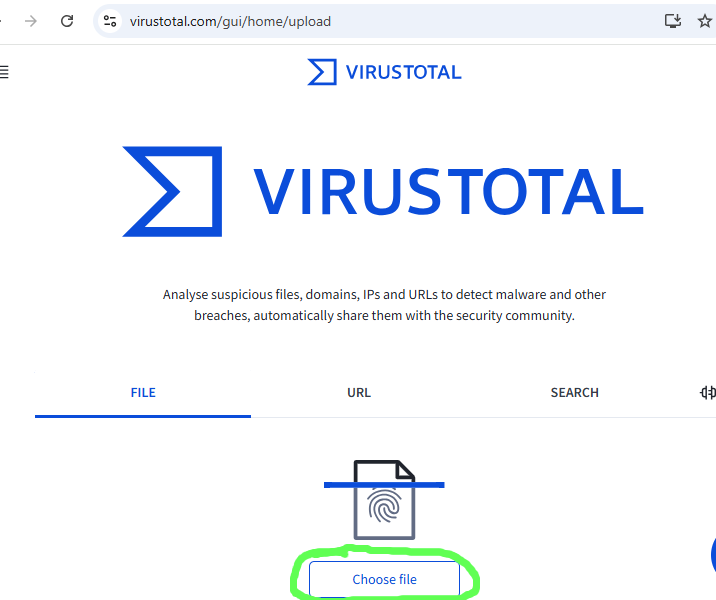
Navigate to the KoboldCPP file you downloaded and select it. The file will be uploaded and scanned by multiple malware detection engines. You will see a report something like the following.
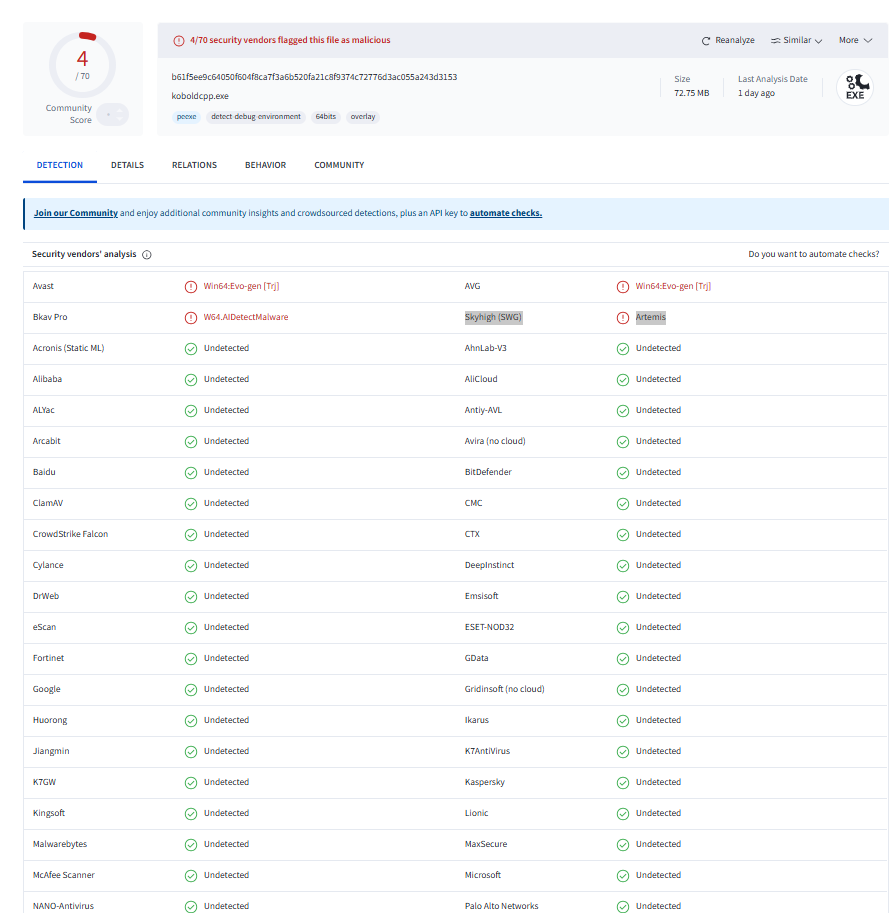
It is not unusual for a small proportion of the detection engines to give a false positive and display a warning (particularly with a native executable like KoboldCPP).
If a significant proportion of them (or most of the ones you have heard of) display a warning, you should certainly delete the file and consider trying again with an earlier release or waiting for the next release.
In any event, it is your decision how you use the information and your responsibility to satisfy yourself that the file is safe. Deciding to run the executable file (that you downloaded from the internet) on your computer is your own responsibility and we in no way accept any liability for any consequences.